
Real estate broker management software
Manage Every Lead, Property & Deal in One Place.
Stop switching between spreadsheets and scattered records. Keep your brokerage organised with an offline Windows app built for Indian real estate brokers.
One-time price Windows desktop software
Using a Mac? Contact us for Mac support.
- Leads & buyers
- Property listings
- Visits & follow-ups
- Deals & brokerage
Who is EstateFlowPro for?
Built for people who manage property enquiries, organise site visits and earn brokerage on sales or rentals.
Independent real estate brokers
Stay on top of enquiries, callbacks and pending brokerage while you handle deals yourself.
Property dealers and consultants
Organise residential and commercial listings alongside buyer requirements and site visits.
Rental brokers
Keep tenant enquiries, available rentals and scheduled viewings together.
Small brokerage agencies
Keep a local record of your agency’s leads, listings and deals on a Windows PC.
What changes when everything is in one place?
| Scattered records | EstateFlowPro |
|---|---|
| Buyer enquiries | |
| Search old chats for the buyer’s budget and preferred area. | Open one buyer record with their requirements and notes. |
| Property listings | |
| Check a spreadsheet, then call to confirm what’s available. | Filter your listings and see what’s available, sold or rented. |
| Visits and follow-ups | |
| Look in separate places for visit feedback and callback dates. | See visit feedback and the next follow-up in the CRM. |
| Brokerage | |
| Piece together what was paid after a deal closes. | See payments received and the balance due against each deal. |
From first enquiry to brokerage collected.
See how a deal moves through EstateFlowPro, from saving a buyer’s requirements to recording the final payment.
Log the enquiry
Save the buyer’s budget, preferred location and what they asked for. Set a date for the next call.
Shortlist properties
Filter your inventory by property details and check availability before you call the buyer back.
Follow through on the visit
Schedule the visit, note the buyer’s feedback and record the next step while it’s fresh.
Close and collect
Record the deal value and each brokerage payment so you can see the balance still due.
Take a look inside
Switch between three real EstateFlowPro screens. Open any screenshot for a closer look.
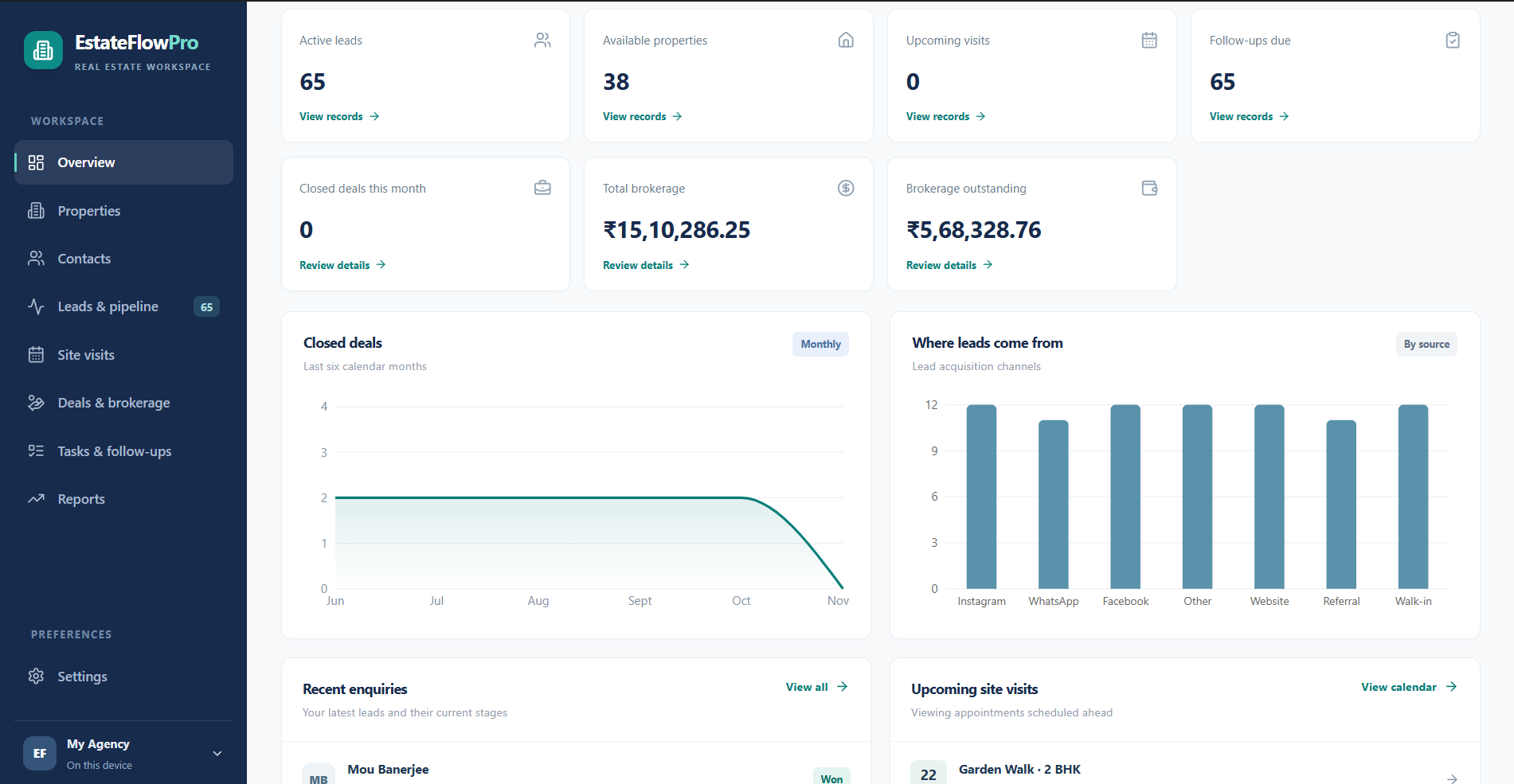
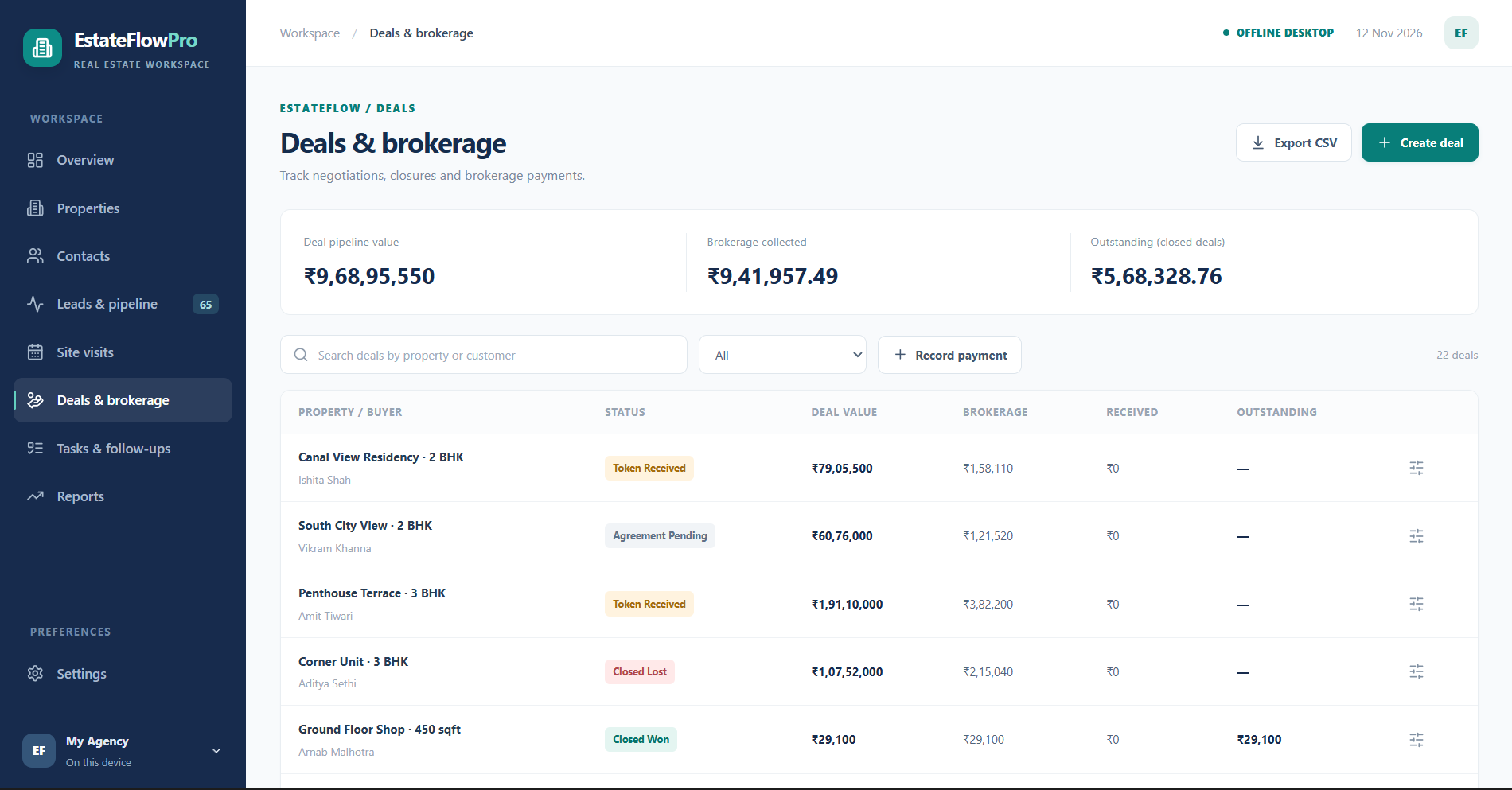
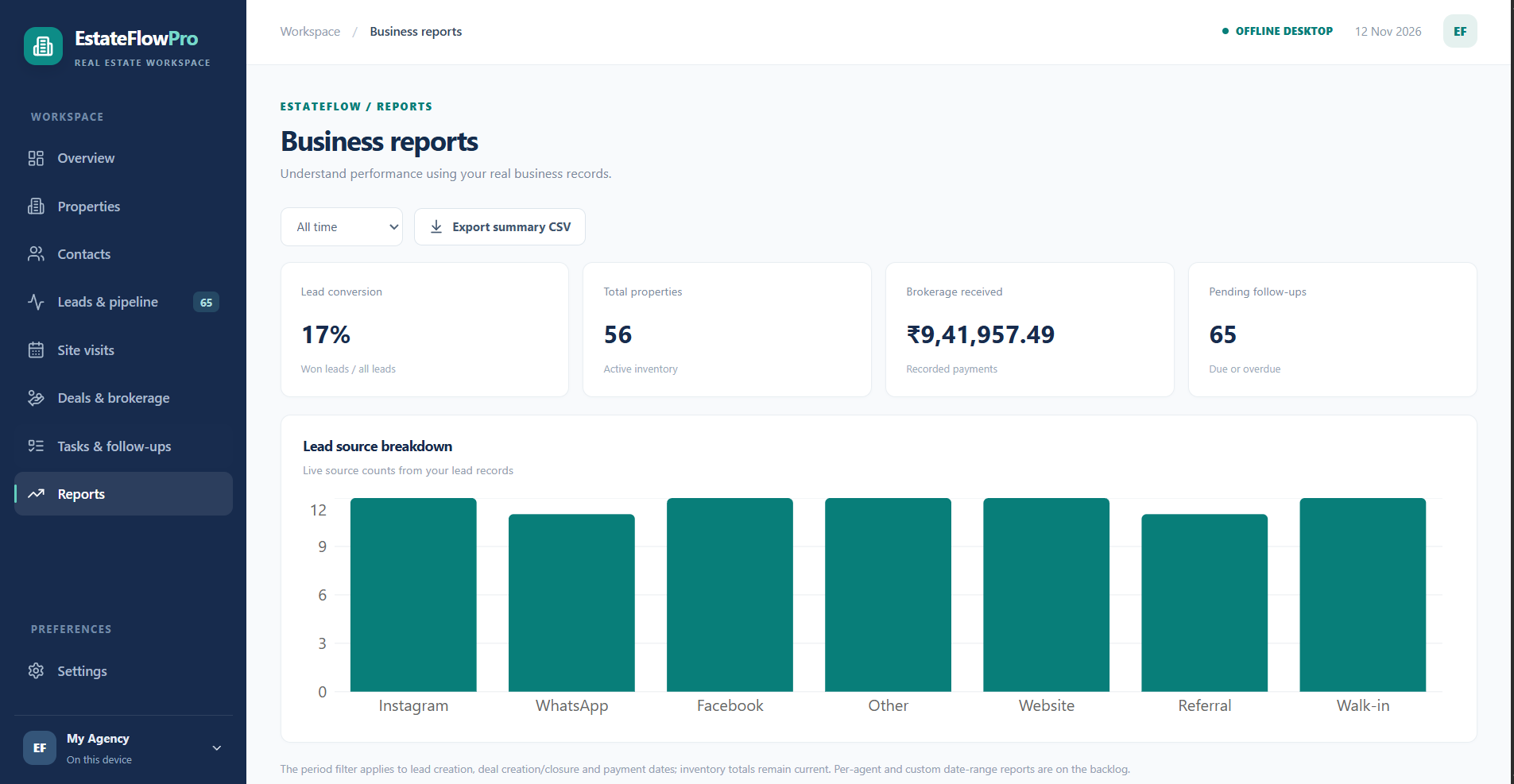
The deal is closed.
What’s still due?
Say you close an ₹80 lakh deal at 2% brokerage. The client pays ₹60,000 first. Record that payment against the deal, then open it later to see exactly what remains.
See the brokerage screen- Total brokerage
- ₹1,60,000
- Payment received
- ₹60,000
- Still to collect
- ₹1,00,000
What our construction customers say
Six verified customers share how they manage project expenses, billing and payments.
“Managing payments and expenses across different sites used to be confusing. EstateFlow Pro brings everything into one place. The project-wise profit tracking is especially useful.”
Rajesh Sharma
Civil Contractor · Jaipur, Rajasthan
“The best part is having billing, material costs and labour expenses together. I can quickly understand how much money is pending from clients without checking multiple registers.”
Amit Patel
Building Contractor · Ahmedabad, Gujarat
“Simple interface and easy to understand. Recording daily expenses doesn't take much time, and the dashboard gives a clear picture of my construction projects.”
Sandeep Yadav
Residential Contractor · Lucknow, Uttar Pradesh
“Earlier, we maintained separate Excel sheets for bills, payments and expenses. Having the information connected in one desktop application makes reviewing project finances much easier.”
Prakash Reddy
Construction Business Owner · Hyderabad, Telangana
“I like that the software focuses on what contractors actually need. Tracking client payments, site expenses and outstanding amounts is straightforward.”
Arindam Ghosh
Renovation Contractor · Kolkata, West Bengal
“The one-time payment model is attractive for small contractors. The clean dashboard and project-wise financial summaries make it easy to see where the money is going.”
Vikram Singh
Interior & Civil Works Contractor · Pune, Maharashtra
Your records stay
on your Windows PC.
EstateFlowPro keeps your CRM records in a local database. You can look up a buyer, update a deal or review your follow-ups without a continuous internet connection.
- Install on WindowsOpen the desktop app on your PC.
- Add your leads and listingsEnter buyer requirements, property details and ongoing deals.
- Work from your dashboardSee who needs a follow-up and what brokerage is still due.
One price for your
day-to-day CRM.
For ₹999, get buyer records, property inventory, follow-up tracking and brokerage management in one Windows app. Use your purchased version without a monthly subscription.
Watch the demo firstEstateFlowPro for Windows
₹999
One-time payment
- Buyer enquiries and property inventory
- Site visits and follow-up tracking
- Deal pipeline and brokerage payments
- Dashboard, reports and CSV export
- Offline access on Windows
Dodo Payments delivers your license key after purchase. Applicable taxes are shown at checkout.
Frequently asked questions
What is EstateFlowPro?
EstateFlowPro is an offline real estate CRM and deal management app for Windows. It is built for independent brokers, property dealers and small agencies in India.
Who is EstateFlowPro for?
Independent brokers, real estate consultants, rental agents and small property agencies that want one place to keep leads, listings and deals.
Do I need the internet to use it?
The Windows app stores records on your computer, so you can use the CRM offline for everyday work.
Can I use EstateFlowPro on a Mac?
For Mac enquiries, email swarnendumaity633@gmail.com before purchasing. The checkout sells a Windows license.
Is ₹999 a recurring charge?
₹999 is a one-time payment for the purchased version, with no monthly subscription fee.
How do I get my license key?
Dodo Payments delivers your license key after purchase. Use the email address entered at checkout to access your order.
Can I track partial brokerage payments?
Yes. Record each payment against its deal and see the amount received and the outstanding balance.
How do leads and follow-ups get into the CRM?
You enter your buyer enquiries and follow-up dates in the app. EstateFlowPro doesn’t generate leads or automatically send WhatsApp messages.